Coming soon
Orders land in your WhatsApp, commission-free.
Customers build their order on your online menu and send it straight to the restaurant's WhatsApp. They pay by Pix to your own key. No part of the order stays with us.
From menu to Pix, in three steps.
No delivery app in the middle. The conversation and the money stay with the restaurant.
Real screens from the system, with demo data.
The customer builds the order
They open the online menu from the restaurant's link and pick items and add-ons.
The order arrives ready
The message goes to the restaurant's WhatsApp with items, address and total. The dashboard shows the same order.
The customer pays by Pix
To the restaurant's own key. The money never passes through us.
The restaurant's dashboard.
Orders, menu and monthly sales in one place. Sign in with your NexaModus account.
Real screens from the system, with demo data.
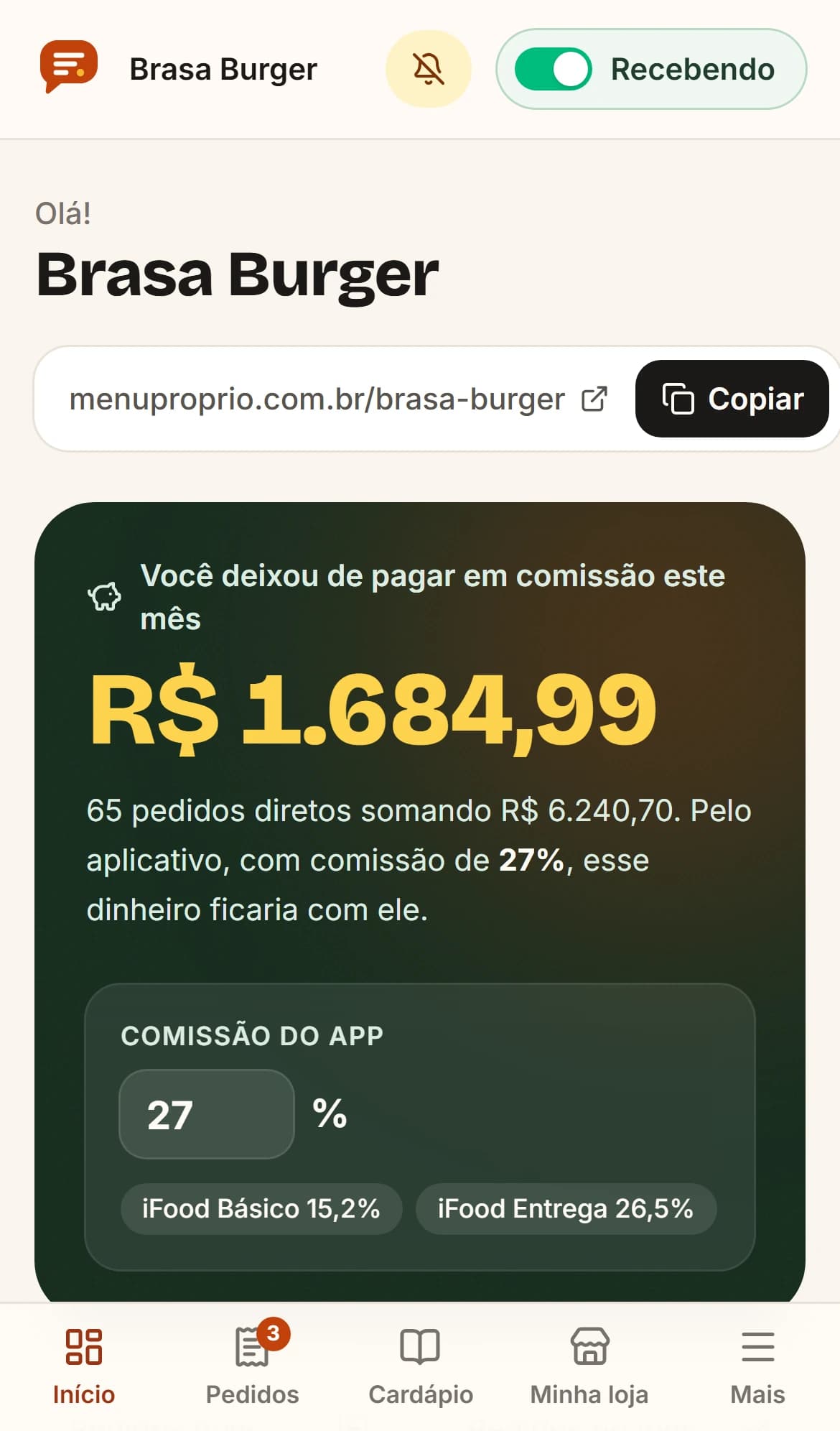
What you kept
The menu link to share and, right below it, how much the restaurant saved in commission this month compared with a delivery app.
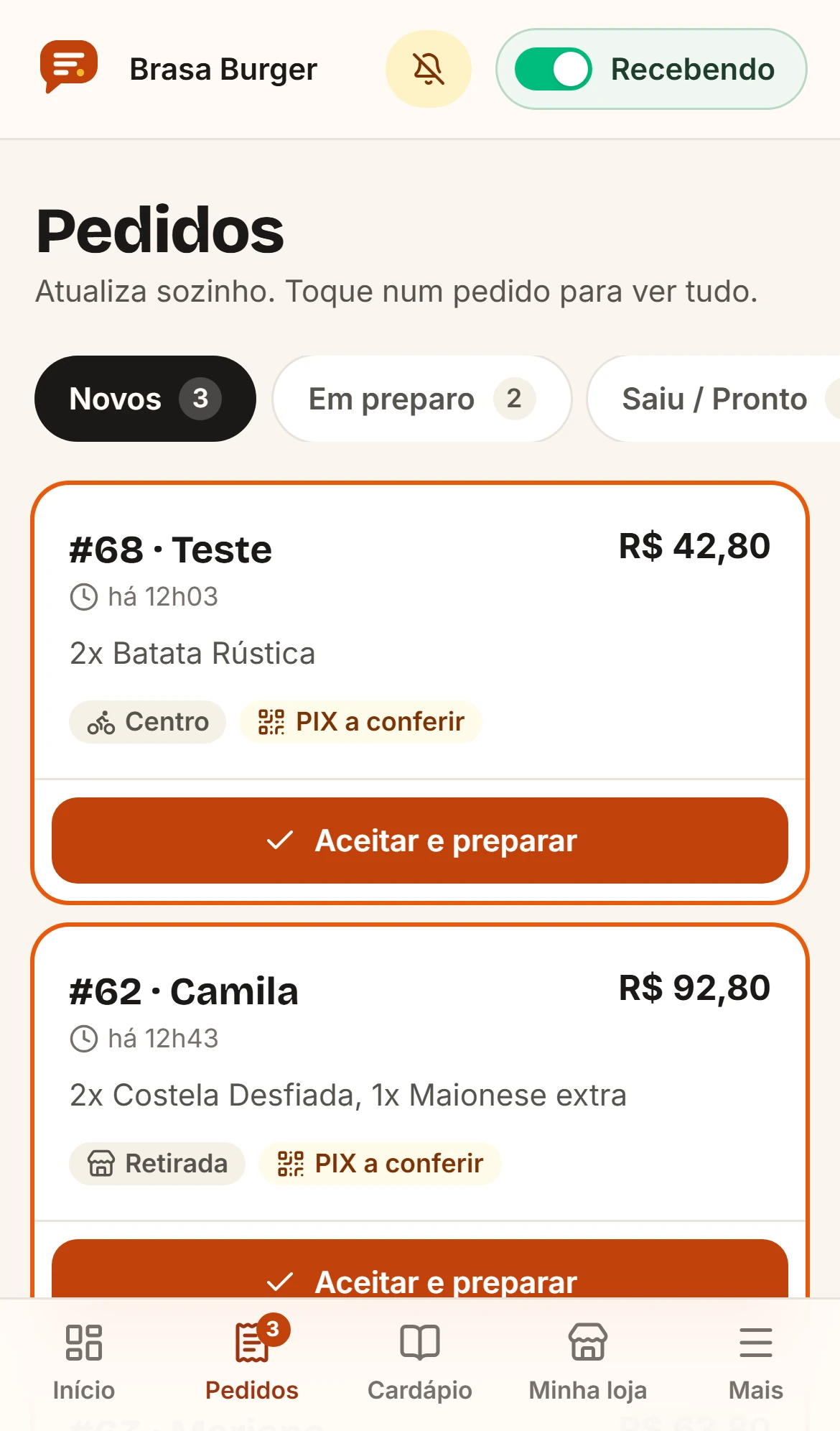
Every order in its column
New, preparing, out for delivery or ready. One tap accepts the order, and you can see whether the Pix payment still needs checking.
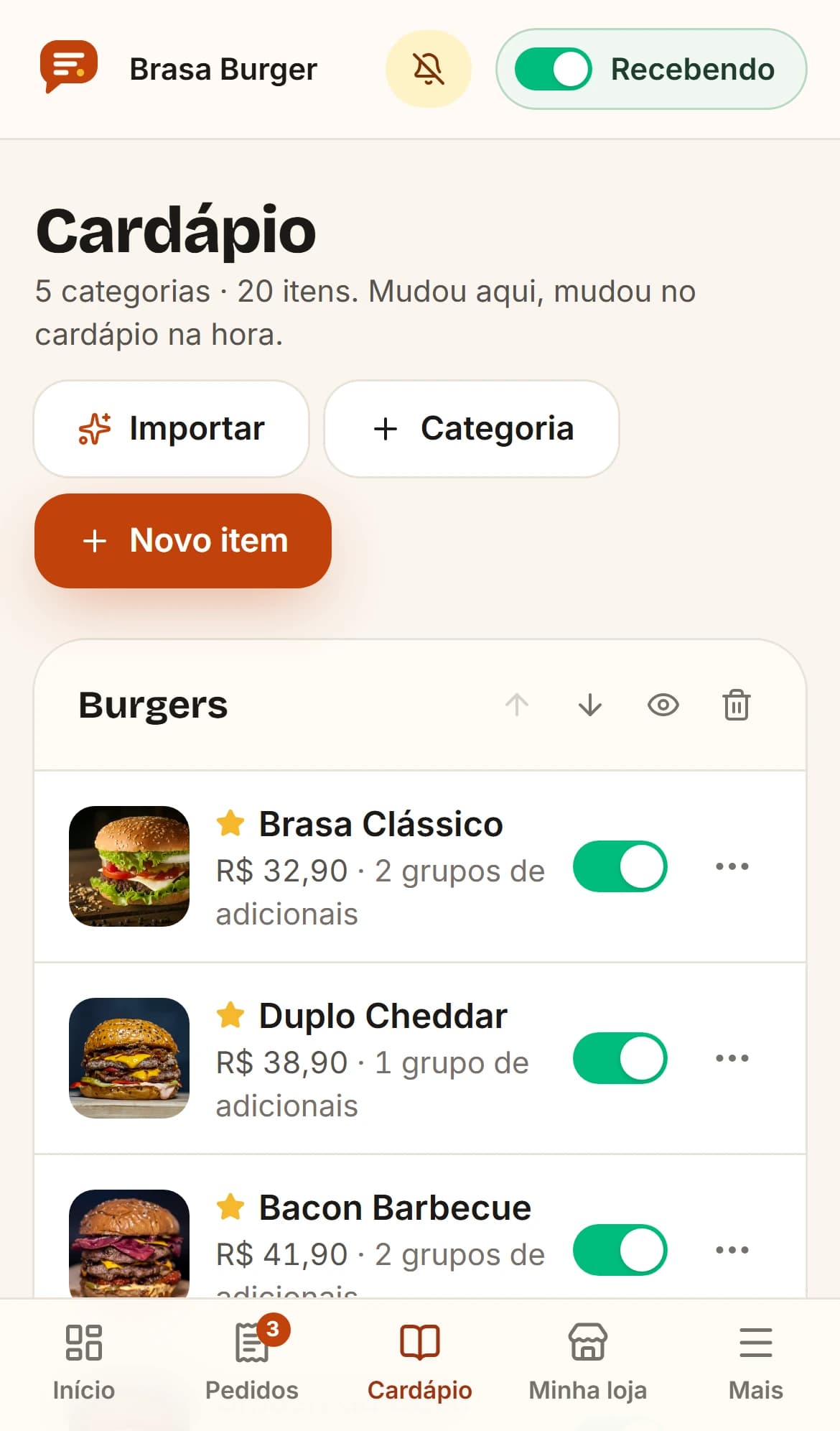
Change it here, it changes on the menu
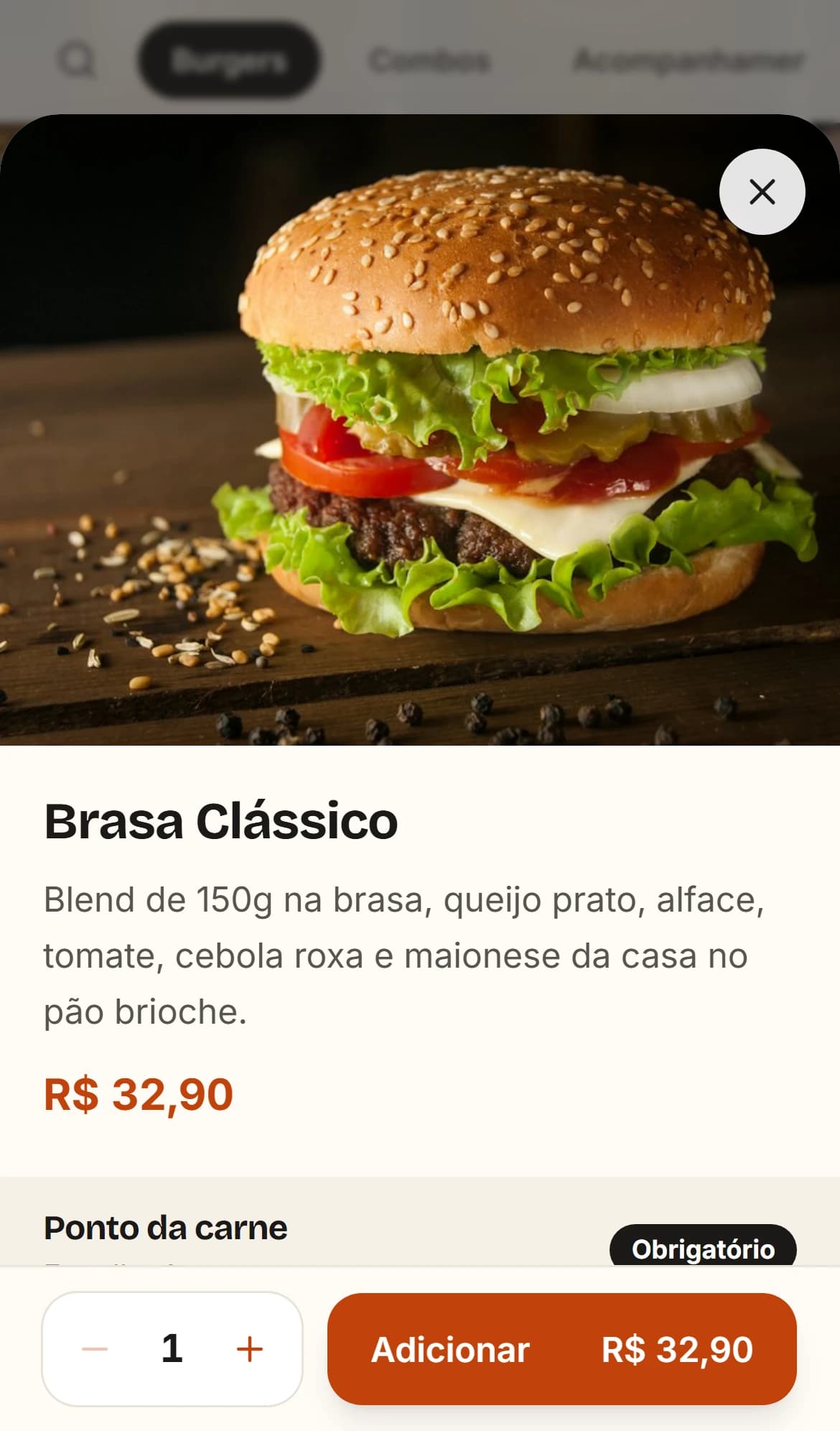
Prices, photos, add-ons and categories. When an item runs out, switch it off and it disappears from the menu right away.
Two more things in the dashboard
- PromotionThe menu link and a QR code to print for tables, the counter or packaging.
- CustomersA list of everyone who has ordered, with phone number and history. The customers belong to the restaurant.
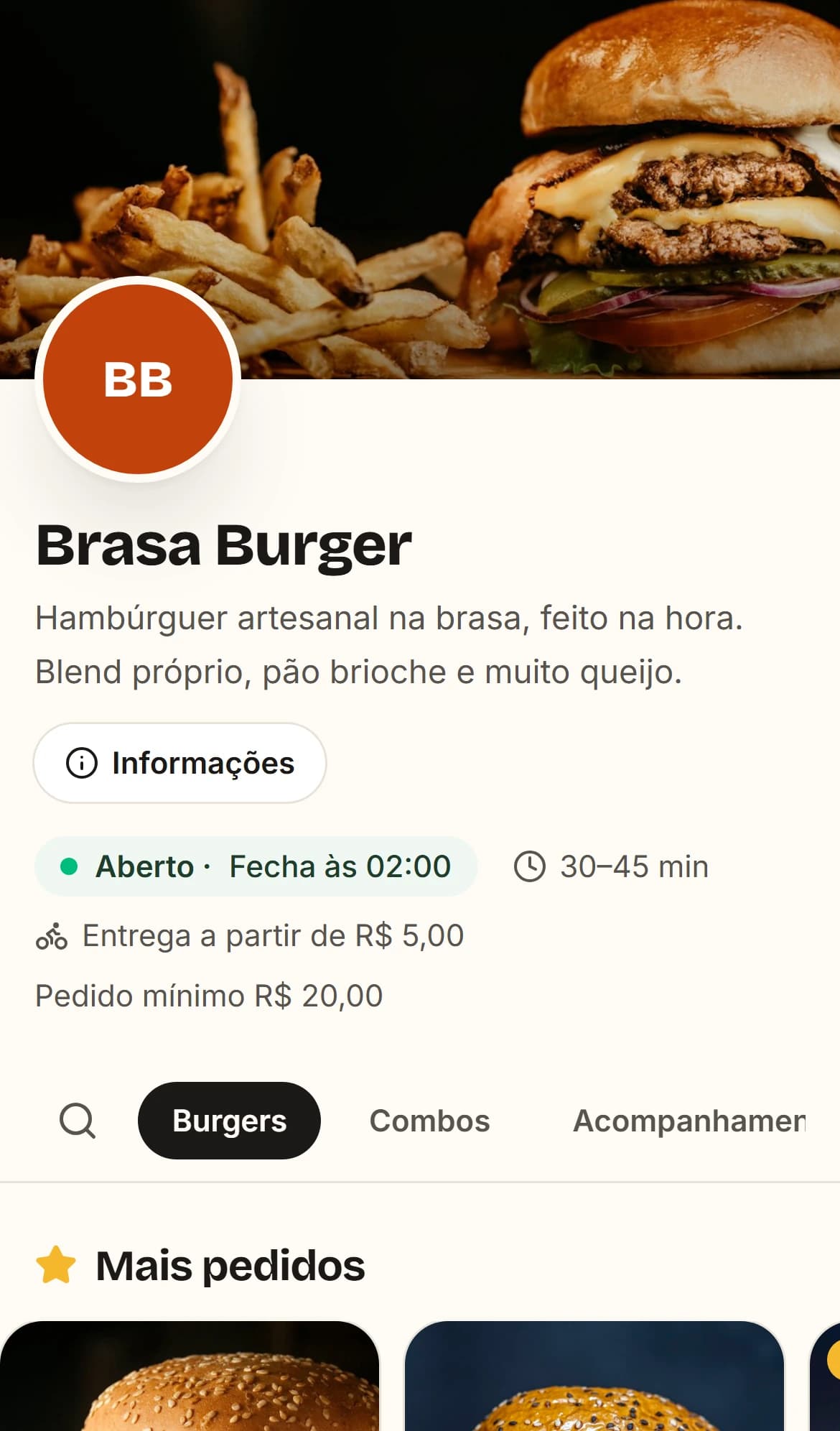
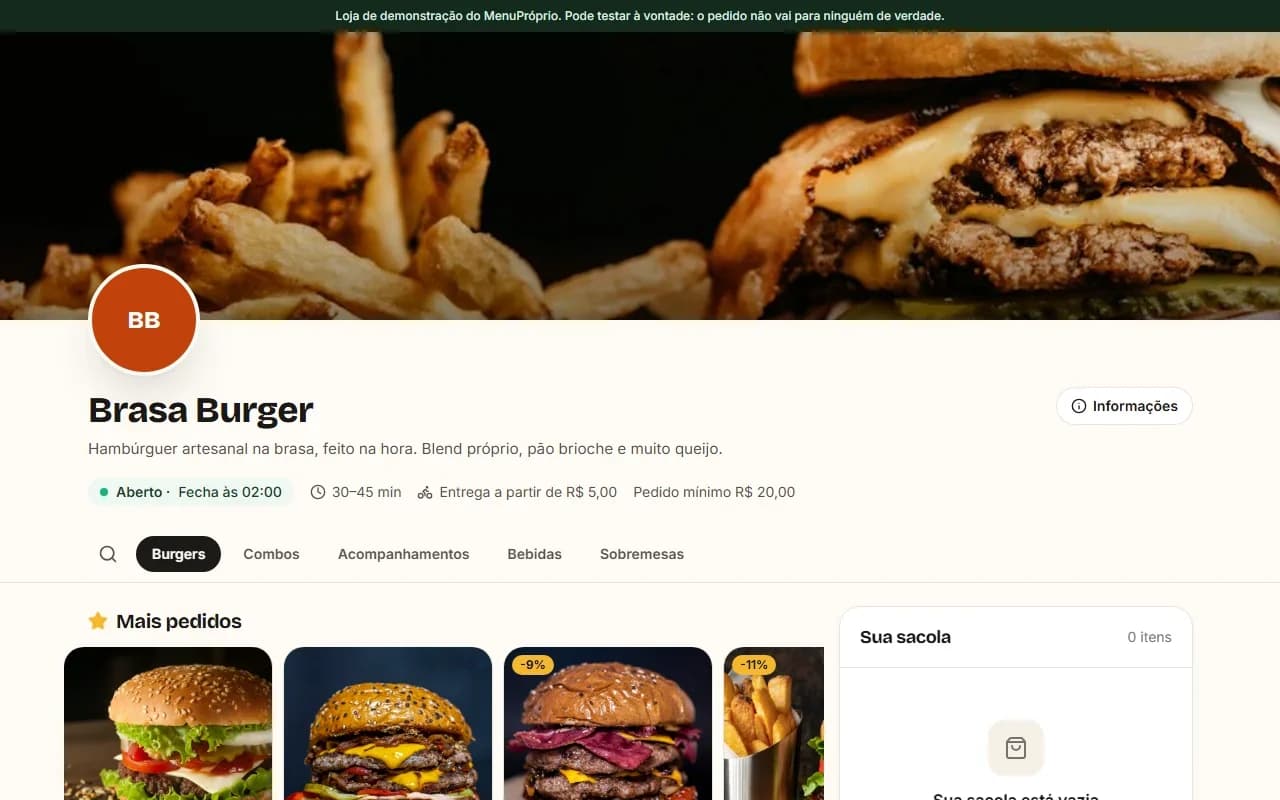
The menu your customers see.
It opens on phones and computers, with nothing to install. It looks like your restaurant: name, photos, hours, delivery and minimum order.
Real screen from the system, with a demo restaurant.
Pricing
On request · no commission per order
Sell more and the price stays the same. Pix goes to the restaurant's key, and you sign in with the same NexaModus account.
Let me know when it launches.
There is no date yet. Leave a contact and we will let you know once, when it opens.
Want to talk about your restaurant?
Tell us how orders come in today. If MenuPróprio is a fit for you, we will let you know when it opens.